Daily Pick
One deeply researched guide worth reading today.
A practical route through the systems that matter most, written to help new players make confident decisions quickly.
Overview: A Cleaning Sim With a Power Grid Inside It
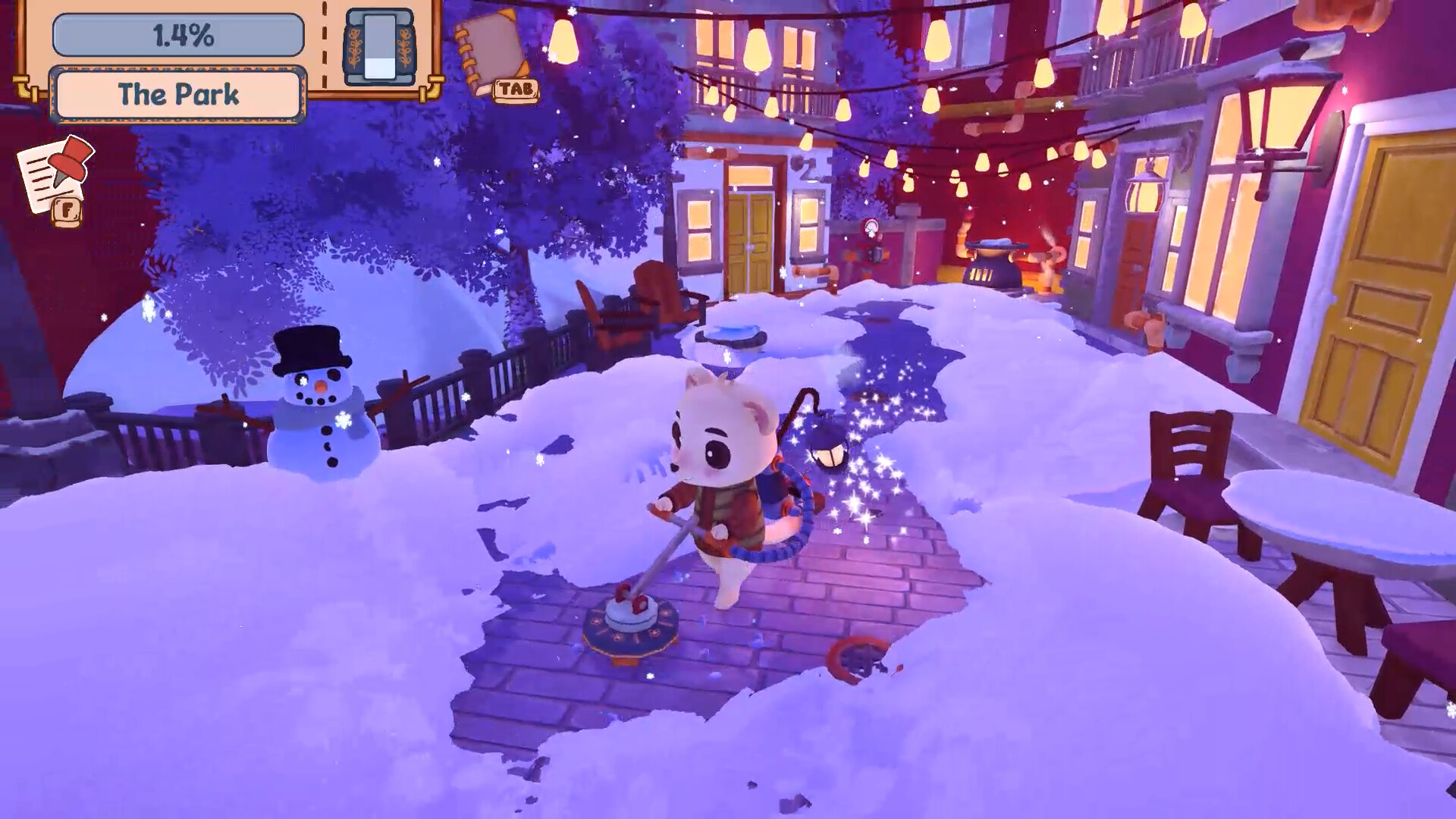
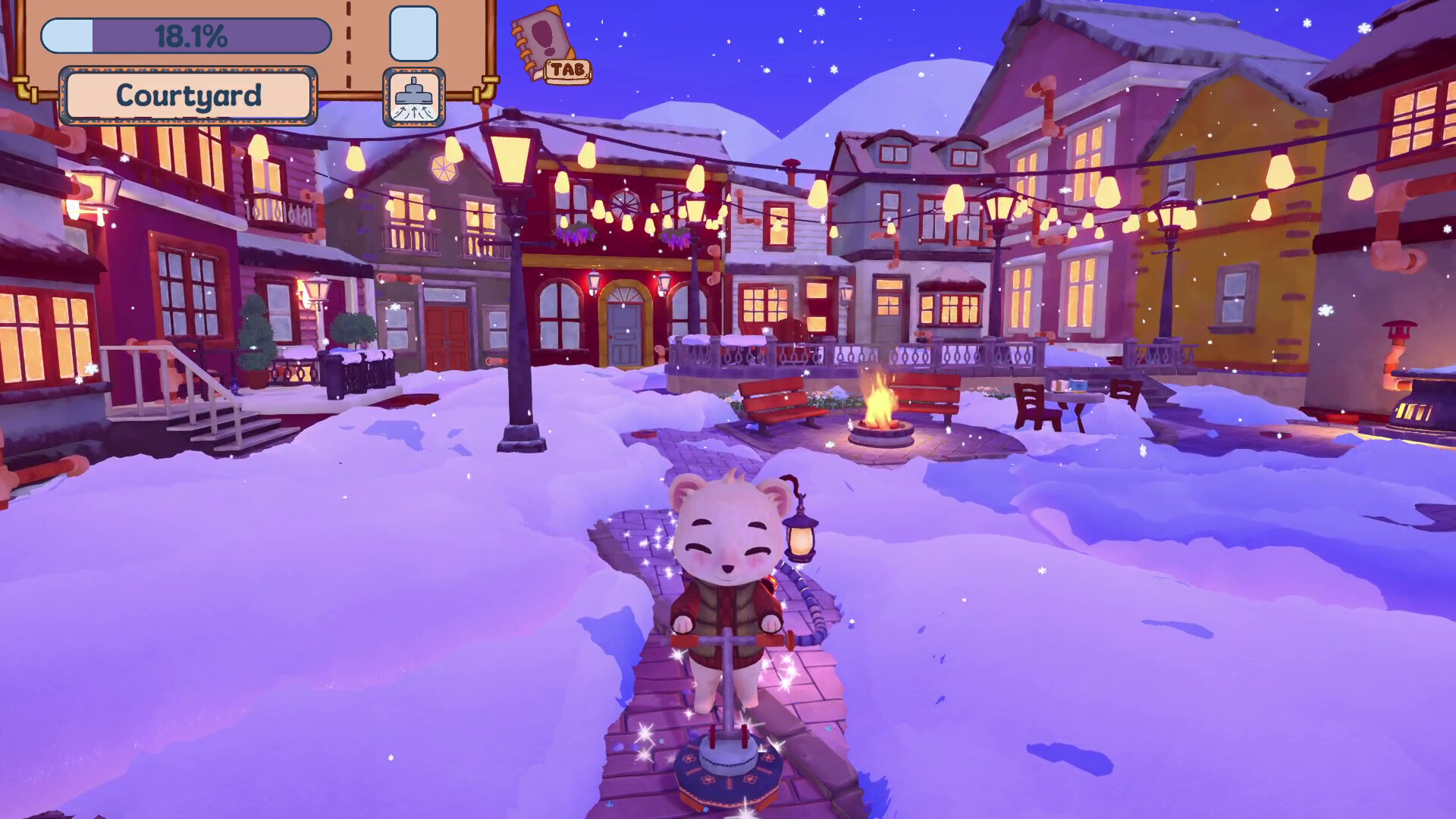
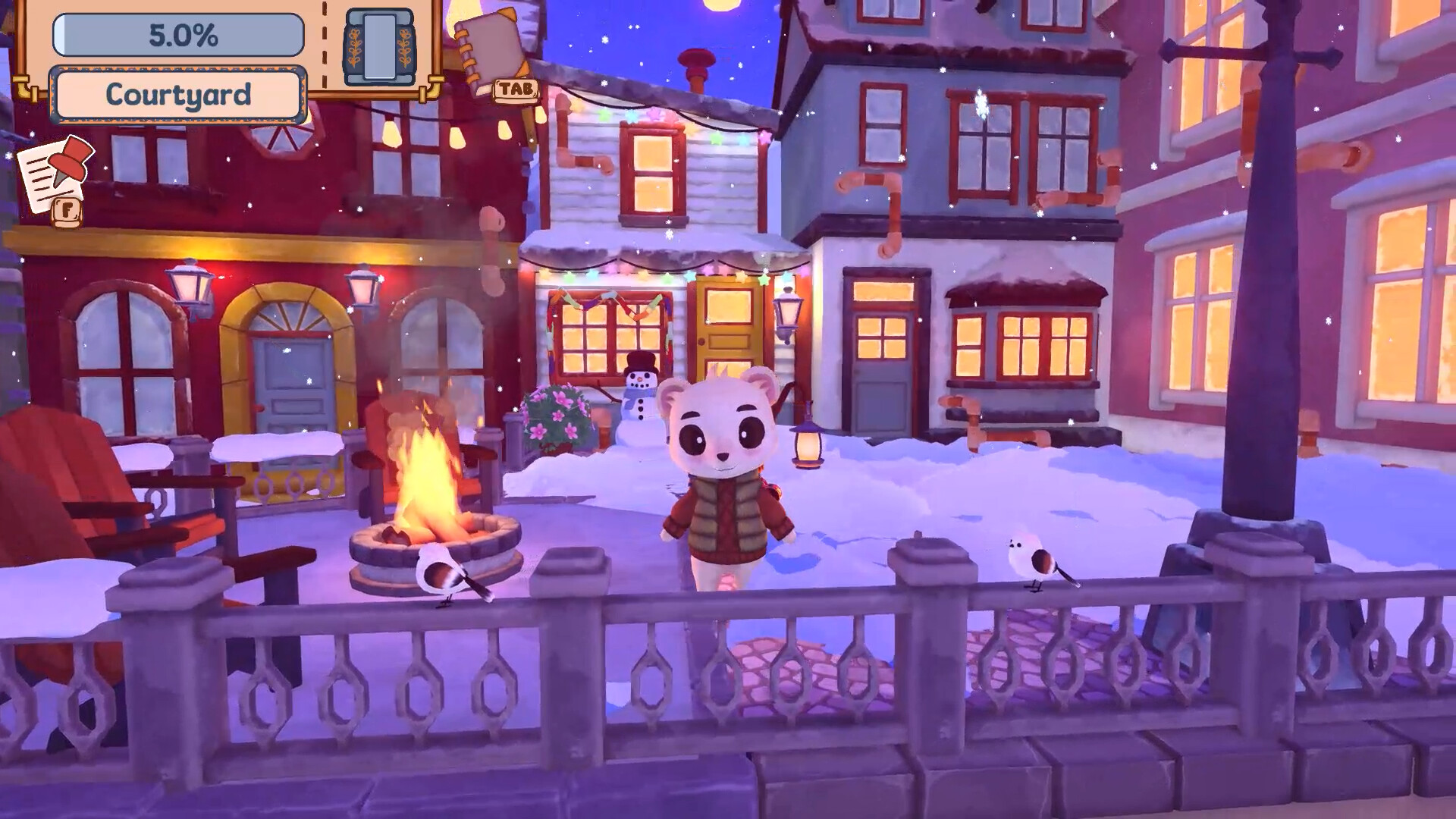
Winter Whiskers is a cozy snow-cleaning simulation from Mango Leaf Games, the two-person team of Axie (design and art) and Leaf (design and programming) who previously made Kokoro Kitchen. A blizzard buries the seaside town of Winterlight Harbor days before its Winter Festival. You play a small stoat with an industrial snow vacuum, and your job is digging the town out before the celebration.
The hook that separates it from PowerWash Simulator and its cousins is the fuel loop. Snow you vacuum is not garbage. It goes into a tank, the tank goes into furnaces, furnaces make steam, and steam runs the town's heating network. Every drift you clear literally powers the recovery. Clear efficiently and the town heats itself. Clear sloppily and you push the same snow around twice.
Quick facts:
| Field | Detail |
|---|---|
| Genre | Cozy cleaning sim, casual puzzle |
| Developer | Mango Leaf Games (Axie + Leaf) |
| Platform | Windows, Mac (no Linux at launch) |
| Players | Single-player, Family Sharing supported |
| Length | 2-3 hours across four areas |
| Release | December 2026 target, per the developers' devlog |
| Demo | Free, about 15 minutes, Positive (11) on Steam |
| Tools at launch | Snow vacuum plus 2 more tools yet to be revealed |
| Failure state | None, by design |
| Languages | English at launch, localization planned after release |
Who it suits: players who liked PowerWash Simulator, Unpacking, or A Little to the Left and want another 2-3 hour wind-down game. Who it does not suit: anyone expecting open-world exploration, multiplayer, combat, or systems with depth beyond the cleaning loop. The developers state all of this on the store page, which is refreshing.
The devlog confirms the December window with a simple rationale: a snow game should ship when there is snow. Controller support is planned for the Steam Next Fest build, along with small "chatting" animations so the townsfolk feel less like statues after you finish their area.
How the Demo Has Been Received
The demo went live on July 30, 2026 and sits at a Positive rating with a small but vocal player base. Three pieces of feedback shape what you should expect:
- The pacing lands. The most common complaint in praise is that it ends. Fifteen minutes covers one neighborhood and players wanted more immediately.
- The vent system and hidden items are the standouts. Switching between suck and blow, popping flowers out of buried pots, and watching the first giant drift melt through a vent are the moments players single out.
- Weak laptops struggle. One mid-range laptop that runs heavier games fine still hit heavy lag at minimum settings. The demo renders the whole area at once, and the snow simulation costs more than the art suggests. See the Performance section for what to try.
The developers read all of it and kept the demo scope unchanged on purpose. Their effort goes into the full game's final two mechanics, the expanded quest system, and the save system instead.
The Character Book
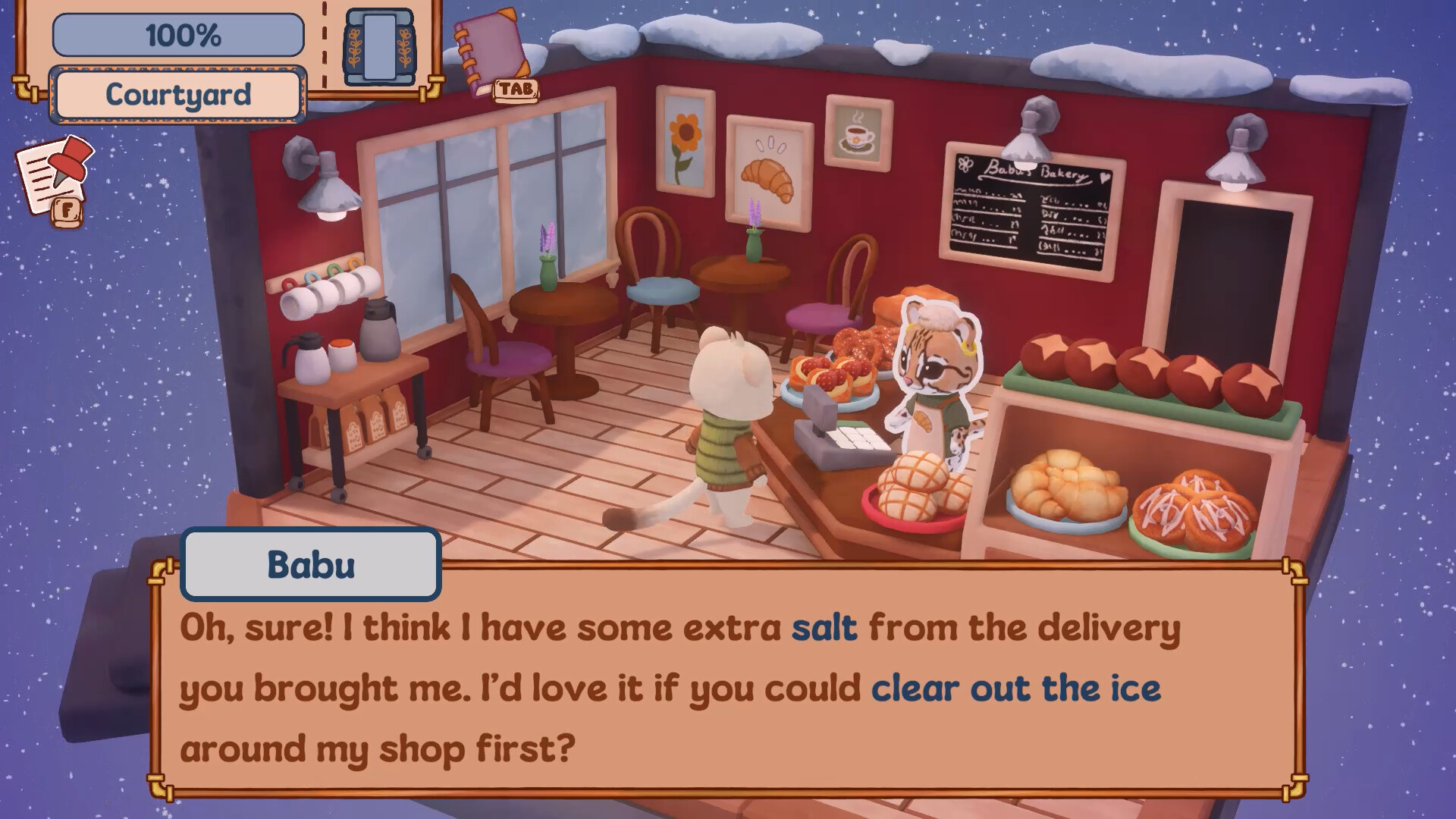
The demo includes a small in-game book that profiles every character you meet. It fills in as you talk to townsfolk and finish their tasks. Two reasons to actually use it:
- Request logic often references who lives where. The book is the map of who is who before the game formally introduces them.
- The full game ships with "so many characters" per the store page. The book is how you keep Coco, her twin, Seph, and Freya straight in the harbor areas.
Read it after each completed request. New entries and details appear, and a few of them foreshadow the next task in the chain.
The Four Areas of Winterlight Harbor
The town breaks into four zones, and the devlog plus demo confirm their names and rough contents. Knowing what each area wants from you is the difference between a smooth run and aimless vacuuming.
| Area | Position | What It Contains | What It Asks of You |
|---|---|---|---|
| The Neighborhood | Area 1 (demo) | Homes, Little Franny's quest, snowman building, firepit setup | Learn the vacuum, first furnace, first pipe repairs |
| The Park | Area 2 | Coco's twin runs a cafe here, open plazas, decorations | Wider open-space clearing, more hidden details |
| The Docks | Area 3 | Coco's Cafe, Seph and Freya's seafood store, harbor front | Ice obstacles, trickier pipe routing near water |
| The Market | Area 4 | Shop exteriors, three enterable interiors including a bookstore, at least four new NPCs | Everything combined, festival finale staging |
Notes on each:
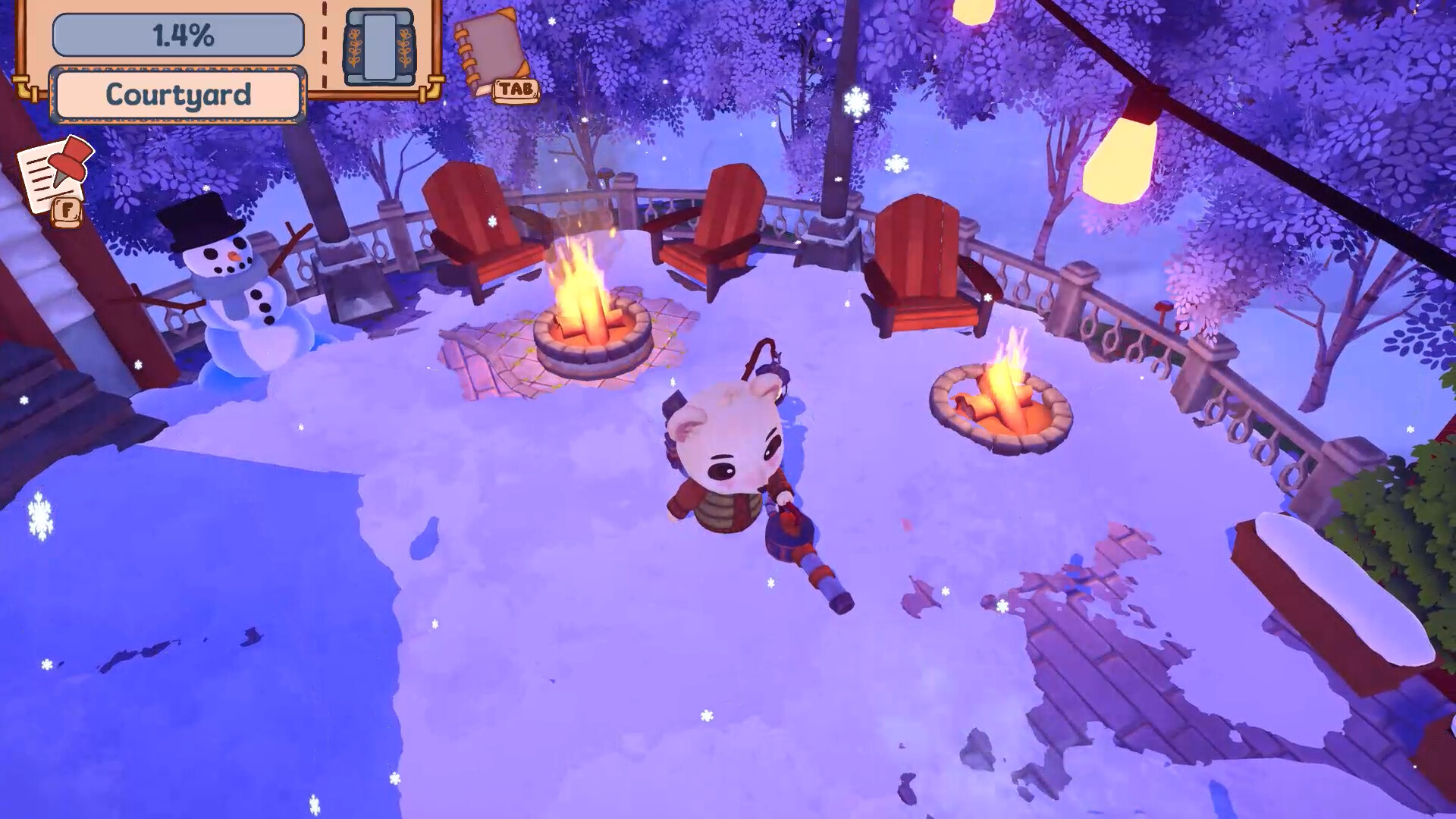
The Neighborhood is the tutorial in disguise. The demo covers it end to end: clear streets, learn suck and blow modes, complete Little Franny's request, build snowmen, set firepits. Finish the demo and you already know area one.
The Park doubles down on open space. Coco's twin operates a cafe here, and the sibling rivalry between the two cafes is a running joke in the devlog. Expect wide plazas where repaired pipes do most of the melting while you handle the edges.
The Docks is where the steam network gets interesting. Coco's Cafe and the seafood store run by Seph and Freya sit on the harbor front. Pipe runs near water and around piers force you to plan repair order instead of fixing whatever you see first.
The Market is the finale. Three shop interiors are enterable (the bookstore among them, and the devs confirmed some facades stay permanently closed), at least four new characters hand out requests, and the festival itself gets staged here. Save your patience for this one; it is the densest area.
Controls & Input
| Action | Keyboard + Mouse | Notes |
|---|---|---|
| Move | W A S D | Standard eight-direction movement |
| Aim vacuum | Mouse | The nozzle tracks your cursor |
| Suck / Blow | Tool toggle keys | Demo teaches both in the first minutes |
| Interact | Single interact key | Talk, repair, dump tank, place decorations |
Controller support is partial in the current demo. Movement and tools work, but tooltips still display keyboard prompts. The Next Fest build is where full controller support lands, so if you are a couch player, that is the build to jump in on.
No time pressure and no fail states exist anywhere in the game, so there is nothing to rebind for speed. Comfort is the only consideration.
Getting Started: Your First 30 Minutes
Step 1: Play the demo even if you bought the game. The Neighborhood takes 15 minutes and doubles as the full tutorial. Skipping it saves nothing since the retail game starts in the same area.
Step 2: Clear connectors before decorations. Roads and walkways between buildings first. A cleared street lets neighbors walk around, and their movement tells you which parts of the area are done. When an area's snow is gone, its residents come outside and wander. That is your completion signal.
Step 3: Find the furnace before big clears. Every area funnels snow into furnaces. Locate yours early, then vacuum toward it instead of filling your tank in a far corner and trudging back.
Step 4: Repair the first pipe you see. Pipes need parts you pick up while clearing. A repaired section heats the ground around it and melts nearby snow on its own, which means less vacuuming for you. Repair early, repair often.
Step 5: Talk to everyone with an icon. Neighbor requests are the story. Little Franny in the demo is the pattern: each character has one small task that pushes the festival prep forward.
Step 6: Try blow mode on anything small. Flower pots, signs, ledges. Blowing snow off a pot reveals blooming flowers underneath. These hidden moments are scattered everywhere and cost you seconds.
Beginner mistakes worth avoiding:
| Mistake | Consequence | Correct Habit |
|---|---|---|
| Dumping tank snow on the ground | Wastes fuel, drifts reform | Route every load into a furnace |
| Clearing decorative drifts first | Progress % barely moves | Paths and requests first, beauty second |
| Ignoring the progress percentage | Missed piles stall the area | Top-left counter is your checklist |
| Sucking surfaces that needed blowing | Tank fills with snow you did not need | Suck drifts, blow surfaces |
| Hoarding pipe parts | Repairs wait on inventory you already had | Spend parts the moment a repair is possible |
| Skipping the character book | Request chain stops making sense | Read new entries after every task |
Core Mechanics Explained
The Snow Vacuum: Two Modes, Two Jobs
The vacuum collects and it pushes. Suck mode fills your internal tank from drifts and piles. Blow mode shoves snow off a surface without storing it. The distinction matters because the tank is your fuel currency: snow in the tank is furnace food, snow on the ground is just snow.
Use suck on ground drifts and anything blocking a path. Use blow on rooftops, pot plants, signage, decorations, and anywhere the snow is a thin layer rather than a heap. Blow also doubles as a reveal tool; the flowers-under-pots moments and the hidden items players keep finding only trigger in blow mode.
The store page promises "2 more tools" beyond the vacuum in the full game, and the September devlog lists the final two mechanics as in development. Icy obstacles already require different handling than soft drifts, and the store page promises "new ways to clear icy obstacles and get to tricky spots" as you progress. Expect the toolkit to grow in the Docks and Market areas.
The Snow-to-Steam Pipeline
This is the entire economy of the game in five steps:
1. Vacuum drifts  →  tank fills
2. Dump tank      →  furnace receives snow
3. Furnace burns  →  steam pressure rises
4. Steam flows    →  through repaired pipes
5. Warm sections  →  melt snow, power lights, open paths
Two consequences follow from this loop. First, vacuuming near a furnace is always more efficient than vacuuming far from one, because travel time is dead time. Second, broken pipes throttle everything downstream: a full furnace with a snapped line warms nothing. When progress feels slow, the answer is usually a pipe, not more vacuuming.
Restored sections give you four payoffs at once: passive snow melting around the pipe, restored power to streetlights and homes, activated ice-melting vents for the big frozen obstacles, and the visual of streets coming back to life. The vents matter most; giant compacted drifts that resist your vacuum melt away once a vent goes live.
Ice, Vents, and the Limits of the Vacuum
Soft drifts vacuum. Hardened ice does not. The demo teaches this with a few compacted formations your nozzle bounces off, and the vent system is the intended answer: repair the pipe feeding the vent, the vent heats the formation, the ice melts from below. The sequence to internalize:
- Identify the ice blockage your vacuum cannot touch.
- Trace which pipe or vent sits nearest to it.
- Fuel the furnace and repair toward that vent.
- Let the vent do the melting while you clear elsewhere.
- Return for the softened edges with blow mode.
Players who fight the ice with the vacuum burn triple the time. The game tells you this by making the nozzle bounce. Listen to the bounce.
Pipe Repair Logic
Pipe parts drop as you clear, so cleaning and repairing feed each other. The repair order that works:
- Scan the area's pipe route before heavy clearing.
- Fix the segment nearest an active furnace first.
- Work outward from there, letting each warm segment soften snow for the next.
- Prefer segments feeding streetlights and vents early, since their payoffs unlock the most.
Progress Tracking and Area Gating
The top-left progress percentage per area is honest. It counts cleared snow, and it stops moving when you miss something. Common stalling points: a drift behind a building, a rooftop patch visible only from a certain angle, one pipe segment tucked in an alley, or an unclaimed request. When the number freezes, walk the perimeter of the last street you cleared in blow mode and the stragglers show themselves.
The Request System
Neighbor requests are optional in the strict sense and mandatory in the practical one. They introduce characters, unlock areas, and stage the festival. The demo's Little Franny quest and the devlog's named NPCs (Coco, her Park twin, Seph, Freya) all follow the same shape: one small task, one warm payoff. Clearing a storefront for one neighbor regularly exposes the next delivery or the path to another request, so the request chain is also the route through the area.
Progression Strategy: The Route Through Winterlight Harbor
Phase 1, The Neighborhood (30-45 min). Learn modes, clear connectors, feed the first furnace, repair the first pipes, finish Franny's task, build the required snowmen and firepits. Do the decorative pass last.
Phase 2, The Park (30-45 min). Open plazas favor pipe-first play. Find the furnace and pipe spine, repair outward, then sweep the open ground while the network melts behind you. Visit the twin's cafe for the request.
Phase 3, The Docks (45-60 min). The hardest routing. Harbor-side pipes and icy obstacles slow direct clearing, so prioritize the segments feeding ice-melting vents. Coco's Cafe and the seafood store anchor the request chain here.
Phase 4, The Market (45-60 min). Everything at once: exteriors, three interiors, at least four new characters, and festival staging. Budget real time for it. The bookstore is confirmed enterable, and the area ends with the festival payoff.
Resource priority across all four phases:
1. Furnace fuel (never let the tank sit full)
2. Pipe segments near vents
3. Request objectives
4. Connector paths
5. Decorative and hidden-detail passes
Six Step-by-Step Strategies
Strategy 1: The Standard Area Opening
- Enter the area and pause. Trace the pipe route with your eyes before touching snow.
- Clear a minimal path to the furnace, feeding every pile on the way into it.
- Fuel the furnace. Watch which direction steam reaches and which drifts begin to sag.
- Repair pipe segments nearest the furnace, then outward.
- Clear connector paths between buildings while repaired sections melt in the background.
- Collect requests, complete them, then do the decorative pass.
Strategy 2: The Furnace Circuit
- Before clearing a large drift, identify which furnace will receive it.
- Vacuum in loops that end at the furnace rather than at the far edge of the map.
- Dump the tank the moment it fills; a full tank stops all collection.
- If two furnaces serve one area, split the map down the middle and assign each half to its nearest furnace.
- Re-check furnace reach after every pipe repair. New warmth changes your optimal loops.
Strategy 3: The Pipe Ladder
- In a fresh area, repair segment one (closest to steam source).
- Move to segment two while segment one's heat melts the ground you just crossed.
- Never double back through a frozen zone; route through warm zones instead.
- When a branch splits, take the branch feeding a vent first. Vents clear the obstacles your vacuum cannot.
- Finish the network before the decorative pass; the last segments will have melted their surroundings for free.
Strategy 4: The Hidden-Detail Sweep
- Save blow-mode sweeps for after the area's progress hits 90% or higher.
- Walk each street once aiming the nozzle at pots, windowsills, signs, and low roofs.
- Bloom every flower pot; they cluster around homes and shops.
- Check alley mouths and building corners where drifts hide from the main path.
- Use the progress counter as the scorecard: 100% means the sweep found everything.
Strategy 5: The Request Chain Walk
- On entering an area, talk to every available character first.
- Line up all requests before clearing anything beyond the furnace path.
- Notice that request objectives usually sit along the pipe route; one pass serves both.
- Complete requests in geography order, not the order you received them.
- Return to each quest giver afterward; the festival prep dialogue updates and the next leg unlocks.
Strategy 6: The Festival Finale
- Enter The Market with a full tank strategy: fuel early, fuel often.
- Clear the three shop interiors one at a time; each is a contained mini-loop.
- Stage festival elements as prompted rather than stockpiling them; placement often opens dialogue.
- Save the final decorative pass for the very end, after every request closes.
- Attend the festival. Hot cocoa, games, and the whole cast in one place. It is the designed payoff for roughly three hours of work.
Advanced Tips
-
Steam reach is a live map. Melted ground shows exactly where steam reaches. Frozen ground shows where the next repair or furnace load belongs. Navigate by warmth, not by memory.
-
The vacuum is a routing puzzle, not a chore. Every tank dump is a trip. Cut trips by clearing toward furnaces and you will finish areas roughly a third faster than players who clear by rows.
-
Let the network work while you talk. After each pipe repair, spend the next two minutes on requests instead of vacuuming. The repaired section clears its surroundings during that dialogue for free.
-
Blow mode previews secrets. If a snow-covered object looks slightly deliberate, a pot, a plinth, a rounded mound, blow it before sucking it. Flowers and hidden details only surface in blow mode.
-
Vents beat vacuum on ice. Compact icy formations resist the vacuum by design. If clearing feels like a grind, you are meant to find the vent or pipe feeding that zone first.
-
The bouncing nozzle is information. When suck mode refuses a drift, that pile is not for you yet. It belongs to a vent, a future tool, or a warmer network. Stop grinding and route around it.
-
Controller support is coming with Next Fest. If you prefer couch play, the Next Fest build or launch version is the one to start with; the current demo is mouse and keyboard with partial pad support.
-
Playtests run through the Discord. The devs open short playtest windows (about a week each) and read feedback from an in-game form plus email. Joining early gets your bug reports into the launch build.
-
Wishlist notifications matter for a December launch. The exact date is not set. Wishlisting is the only reliable way to catch the release window.
Performance & Settings
The demo has one real technical issue: frame rate on modest hardware. A laptop that runs far heavier games smoothly can still hit heavy lag in Winterlight Harbor at minimum settings. The likely cause is that the whole area, snow simulation included, renders at once.
What actually helps right now:
- Drop resolution before dropping quality settings. The art is stylized and holds up.
- Play in windowed mode at a reduced size if fullscreen lag persists.
- Keep camera distance close; less snow on screen costs less to simulate.
- Clear an area rather than half-clearing three. Fewer active drifts, smoother frames.
- Expect improvement. The September devlog names optimization as an open work item, and the team has been studying it for the Steam Deck push.
Steam Deck status: the team wants Verified at launch but has said openly that frame rate work is unfinished. The game may ship running at lower FPS on Deck and patch upward. Mac support is listed, though the demo's performance picture on Apple silicon is still thin.
How It Compares
| Game | Core Loop | Length | Pressure | Winter Whiskers Difference |
|---|---|---|---|---|
| PowerWash Simulator | Spray dirt off objects | 20+ hours | None | Snow becomes fuel, not waste; town systems react to your work |
| Unpacking | Place items in rooms | 3-4 hours | None | Spatial puzzle vs. routing puzzle; Winter Whiskers adds NPC requests |
| A Little to the Left | Arrange household objects | 2-3 hours | None | Pure tidying vs. an energy network that pays you back for cleaning |
| Kokoro Kitchen (same devs) | Cozy cooking | Short | None | Same tone, new loop: their first game cooked, this one digs out a town |
The through-line: Winter Whiskers is the shortest of the bunch and the only one where your cleaning physically powers the world. If the steam network clicks for you, the 2-3 hours feel dense rather than thin.
The Road to Launch
Timeline so far, all from official posts:
| Date | Milestone |
|---|---|
| 2026-06-03 | 10,000 wishlists hit |
| 2026-07-06 | Playtest signups open (week-long windows, feedback form + email) |
| 2026-07-30 | Demo launches with The Neighborhood |
| 2026-09-05 | First devlog: Docks in build, Market asset plan, final 2 mechanics in work |
| Next Fest | Full controller support build, NPC chatting animations |
| December 2026 | Target release |
The first devlog lays out the remaining plan. Axie builds The Market's assets: the level, business exteriors, three interiors, and at least four new NPCs. Leaf implements the final two mechanics, a more robust quest system, and the save system.
What is explicitly not promised at launch:
- Localization. English only at release. Other languages come in a post-launch update, languages still being chosen. A French request in the discussions got a direct "we will keep French in mind" from the devs.
- Steam Deck Verified. They are working toward it; frame rate may be lower at first.
- Character customization. Might make launch, might become a post-launch update.
Cast confirmed so far:
| Character | Species | Location | Role |
|---|---|---|---|
| Little Franny | (demo NPC) | The Neighborhood | First request giver |
| Coco | Ocelot | The Docks | Runs Coco's Cafe |
| Coco's twin | Ocelot | The Park | Runs the rival Park cafe |
| Seph (Persephone) | Walrus | The Docks | Runs the seafood store front |
| Freya | Walrus | The Docks | Fishes for the seafood store |
What the Demo Contains, Precisely
Released July 30, 2026, the demo covers the first area:
- Clearing snow from Neighborhood streets with both vacuum modes
- The tool tutorial for suck and blow
- Little Franny's complete request
- Building decorative snowmen
- Setting up firepits
- The first furnace and the first pipe repairs
- The first ice obstacle and vent demonstration
- The character book with its first entries
Developer commentary after the demo window reported only a couple of small issues found by players, with fixes folded into later builds. The demo is unchanged in scope for Next Fest by design; the team is spending its time on the full game's final two mechanics, the quest system, and the save system instead.
FAQ
When does Winter Whiskers release? December 2026 per the developers' devlog. No exact date yet. The demo is out now.
How long is the full game? Two to three hours across the four areas. The Market is the longest.
Is there multiplayer? No, and not just "not at launch." The devs answered directly: no multiplayer in this game, though they hope to make multiplayer games in future projects.
Can you fail or lose progress? No fail states exist. The save system is being built for the full release.
How does the steam system work? Vacuumed snow feeds furnaces, furnaces produce steam, repaired pipes carry it, and warm sections melt snow, power lights, and activate vents. Broken pipes are almost always the reason progress stalls.
Suck or blow? Suck drifts and path obstructions so the snow becomes fuel. Blow surfaces and decorations to reveal details without filling your tank.
What are the two extra tools? Unrevealed. The store page counts them ("2 more tools") and the September devlog lists the final two mechanics as in development. Ice clearing is the most likely theme, since icy obstacles are called out as needing new approaches.
Does the demo lag for everyone? No, but it lags on some mid-range laptops that run bigger games fine. Lower the resolution first, keep camera distance close, and expect optimization patches before December.
What platforms? Windows and Mac. Linux is not listed. Steam Deck is a goal but frame rate work is unfinished.
Is the game localized? Not at launch. English only in December, with other languages planned for a post-release update.
Is the demo different from the full game's start? No. The demo is the first 15 minutes of The Neighborhood, unchanged.
What is the character book? An in-game compendium that profiles each townsfolk as you meet them. New entries appear as requests complete. Worth reading; it doubles as the cast list for the harbor areas.
How do I report bugs or join a playtest? The Discord linked on the Steam page runs playtest sign-ups. The game includes a feedback form, and the devs read email at mangoleafgames@gmail.com.
Quick Reference Card
OPENING AN AREA
  1. Trace pipe route → 2. Path to furnace → 3. Fuel it
  4. Repair outward → 5. Connectors → 6. Requests → 7. Decoration pass

TANK RULES
  Full tank = zero collection. Dump at furnaces only.
  Loop toward the furnace; never end a loop at the map edge.

NOZZLE RULES
  Suck: drifts, piles, path blockers
  Blow: pots, roofs, signs, thin layers, secrets

ICE RULES
  Bouncing nozzle = wrong tool. Find the vent.
  Repair toward the vent, let heat melt, return with blow.

STALL FIXES
  Progress frozen? Check: hidden alley drifts, rooftop patches,
  unclaimed requests, one forgotten pipe segment.

CAST CHEATSHEET
  Franny = Neighborhood | Coco = Docks cafe | Twin = Park cafe
  Seph = store front | Freya = the fishing